Case study · Product
ThreadFlank
A fashion app where shoppers see clothes on themselves before they buy.
Indian fashion brands put their catalog on it, shoppers try the clothes on using AI, and when they like something they go to the brand's own website to buy it.
- Timeline
- Jul 2026 – present
- My role
- Full stack: AI pipeline, backend and both web apps.
2
apps: brand panel + shopper app
69
features shipped
37
built and tested
9
on the roadmap
- Next.js
- NestJS (Fastify)
- TypeScript
- PostgreSQL
- Prisma
- Redis
- BullMQ
- Socket.IO
- Gemini
- OpenRouter
- Replicate
- LangChain
- Pinecone
- Razorpay
- Jest
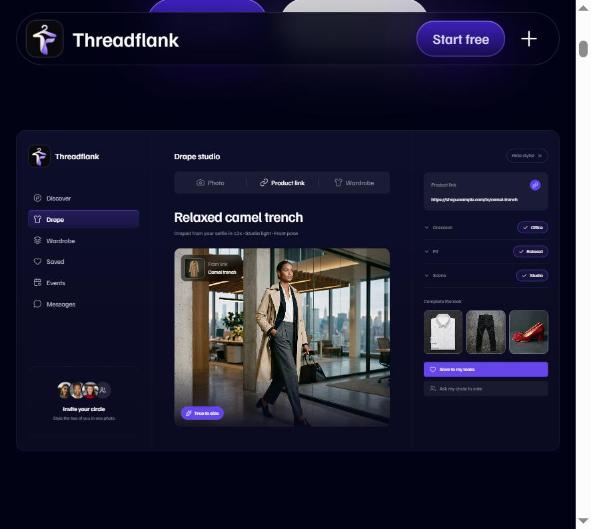
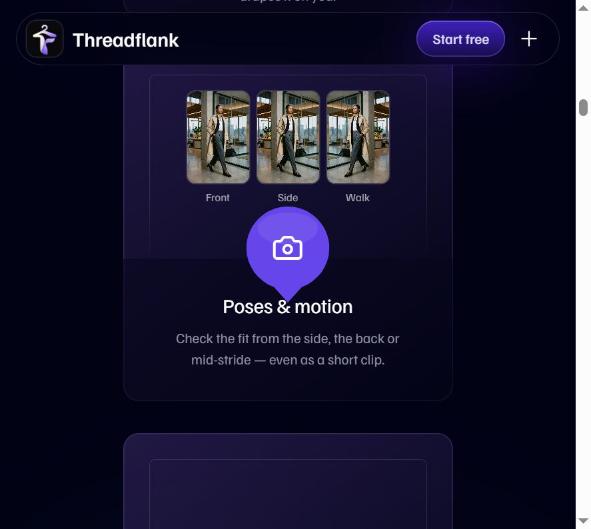
Screenshots
Inside ThreadFlank
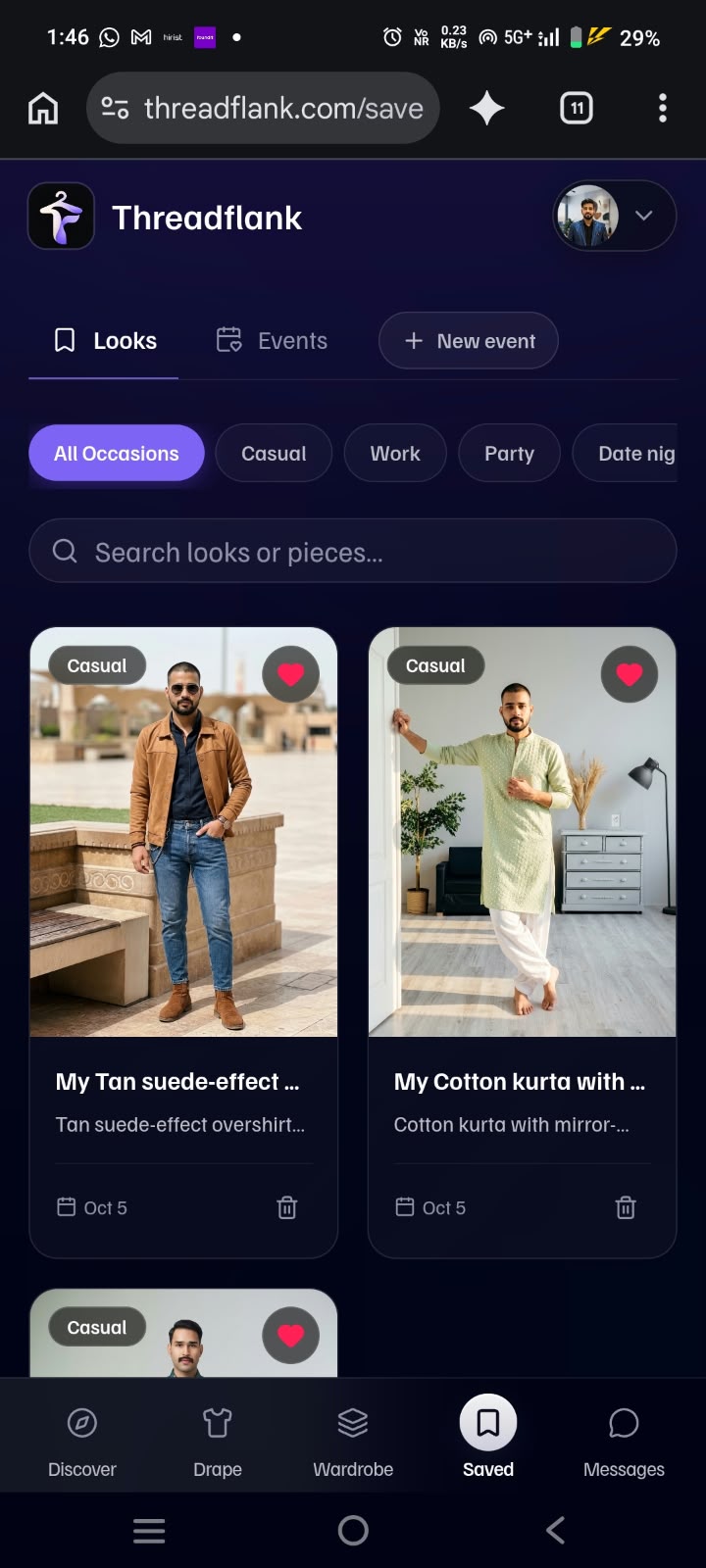
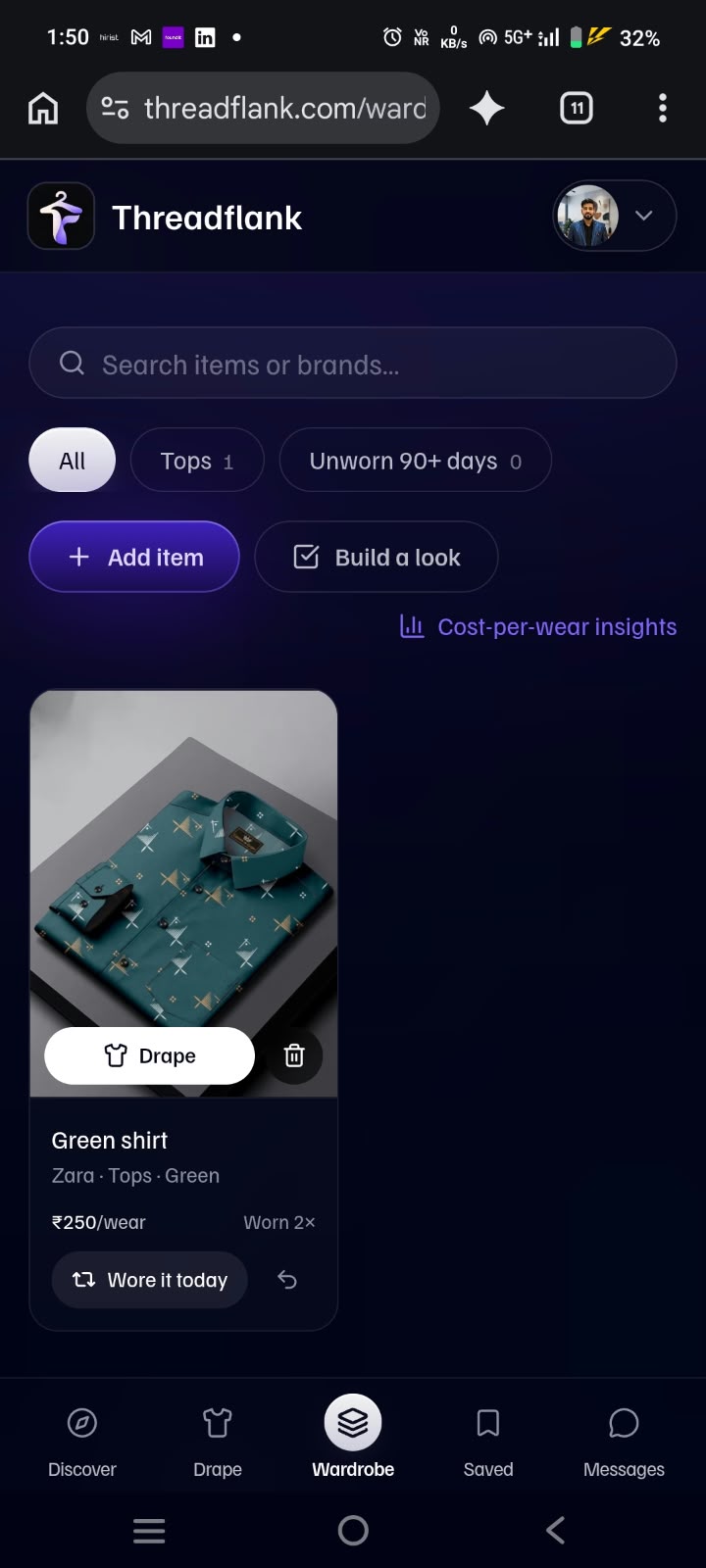
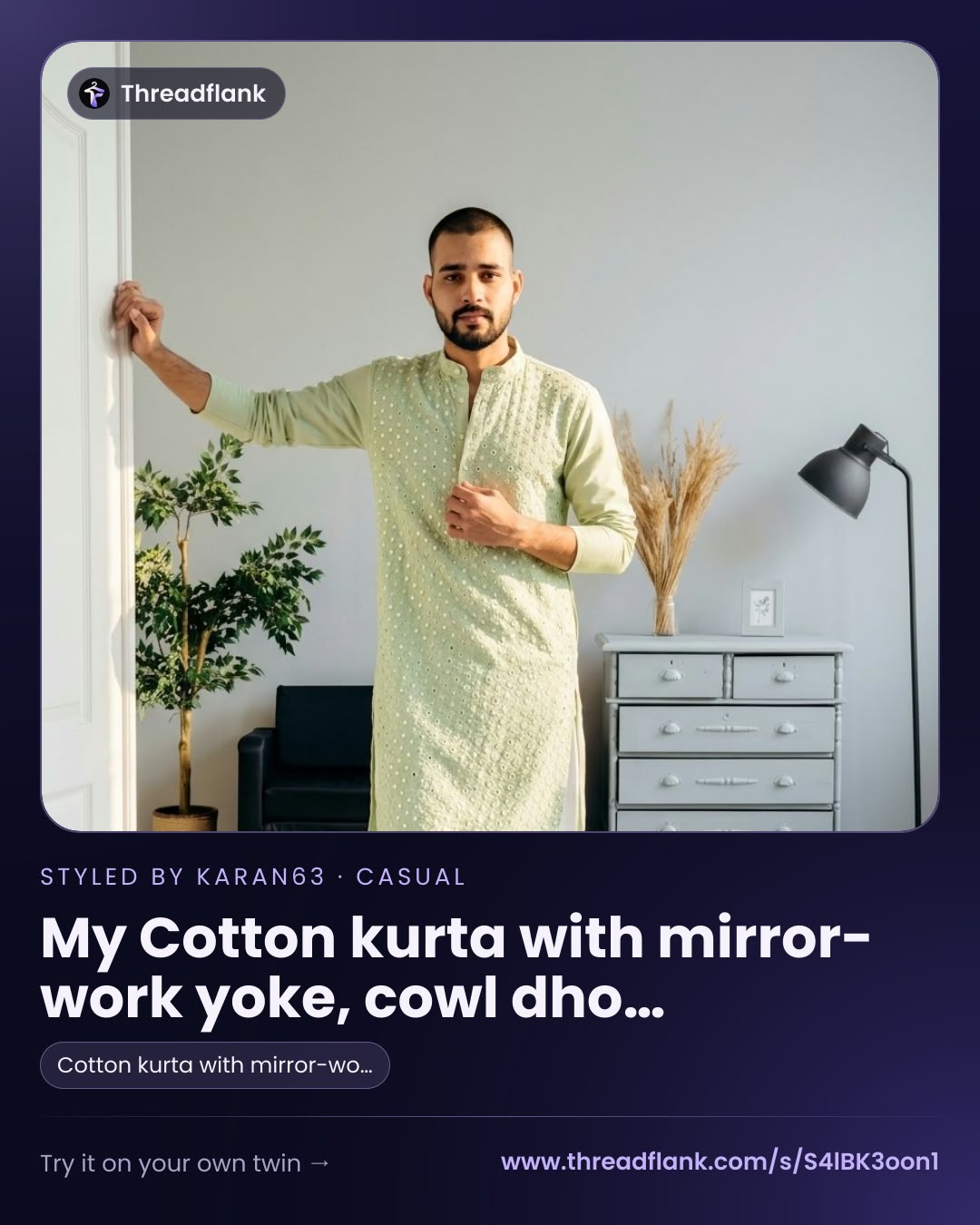
How it works
From brand catalog to buy tap
- 1
A brand joins
Uploads its clothes (one by one, or hundreds at once from a spreadsheet) and sets up its store page.
- 2
A shopper finds the brand
Browses brands and collections, follows the ones they like, joins the waitlist for new launches.
- 3
The shopper tries clothes on
The app shows the garment on the shopper's own photo using AI, so there is less guessing about fit and look.
- 4
The shopper buys
Tapping Buy takes them to the brand's own website. ThreadFlank counts the tap so the brand sees what works.
- 5
The brand learns and grows
The brand sees views, try-ons, saves and buy taps, and uses AI tools to write its marketing copy.
The product
Two apps, one product
Every feature, grouped by app. Working = built and tested; Built = exists, not re-tested recently.
For brand owners and their team. Where a brand manages its clothes, launches, numbers, AI tools and payments. Brands are the supply side: no brands and clothes, no reason for shoppers to stay.
Team and security
Who can use the brand's account, and what each person can do.
- Sign up and approvalBuilt
A brand confirms its email, then a ThreadFlank admin approves it before shoppers can see it.
- Login and password resetBuilt
Sign-in, sign-out, forgot-password and change-password.
- Invite teammatesWorking
Teammates get an email, choose their own password and join the brand's account.
- Roles: Owner, Manager, ViewerWorking
Managers do everything except buy credits and manage the team; Viewers can only look.
- Store settingsBuilt
Name, story, logo, banner, accent colour, announcement, website and physical-store flag.
- GST number and badgeWorking
Format-checked GST number shows a 'GST registered' badge to shoppers.
Catalog
Built so one brand can manage 500+ pieces and the platform can hold 1000+ brands.
- Add, edit and delete piecesWorking
Title, price, original price, colours, sizes, SKU, category, occasions, collection, stock, live/draft.
- Up to 8 photos per pieceBuilt
Uploads are shrunk automatically, or brands paste links to photos they host.
- Search, filters and sortingWorking
Filter by category, collection, status, featured, stock or 'not ready for try-on'.
- Smooth long listWorking
Loads a screenful at a time, so it stays fast with 500 pieces.
- Bulk actionsWorking
Publish, hide, delete or set collection/category for up to 500 pieces at once.
- CSV importWorking
Checks every row, imports the good ones, reports the bad ones; Shopify-style columns and a template.
- CSV exportWorking
Download the whole catalog as a spreadsheet.
- CollectionsWorking
Group pieces under a name; shoppers see them as cards and filters.
- Featured pieces and live/draftWorking
Show favourites first and keep unfinished pieces hidden.
Dashboard and insights
Real shopper activity, so brands can see whether ThreadFlank works for them.
- Dashboard overviewWorking
Views, try-ons, saves, buy taps, conversion and followers for 7/30/90 days, compared with the period before.
- Top piecesWorking
Ranks pieces by try-ons, then saves and shares, then buy taps.
- Insights pageWorking
Day-by-day chart, a view → try-on → save → buy funnel, activity by category, top 25 pieces.
- Download the numbersWorking
Export the top-pieces table as a spreadsheet.
- Activity trackingWorking
Repeat views of the same page within 30 minutes count once.
- Try-ons from real rendersBuilt
Counted only after the AI finished and the shopper paid.
Drops and launches
Build excitement for a new collection.
- Schedule a dropWorking
Title, collection, description, launch date and banner.
- Countdown and statusWorking
Days to go, and scheduled / live / finished.
- WaitlistWorking
Shoppers join; the brand sees how many are waiting.
- Drop linked to a collectionWorking
Shoppers get a 'Shop this collection' button on launch day.
- Launch notificationsWorking
Waitlist and followers get one in-app notification when the drop goes live.
AI Studio
AI tools that save a brand's marketing team time. Credits pay for them.
- AI writer: 7 kinds of copyWorking
Descriptions, Instagram captions, announcements, emails, SEO, WhatsApp broadcasts, short titles: three options each.
- Tone, language and lengthBuilt
Luxe, playful, minimal, festive or bold; English, Hindi or Hinglish.
- Uses the brand's real detailsBuilt
The AI gets the piece's real title, price, colours, sizes and occasions.
- Fair chargingBuilt
2 credits, taken only after the text is produced.
- Saved copy libraryWorking
Save, browse by type, copy again or delete (up to 500 items).
Billing and credits
How the platform earns money from brands.
- Credit packsWorking
Starter (50 credits, Rs 499), Growth (200, Rs 1,499), Scale (600, Rs 3,999), GST included.
- Pay online with RazorpayWorking
UPI, cards and net banking; only the owner can pay.
- Credits are never lostWorking
Background callback adds credits if the browser closes; wrong amounts add nothing; never twice.
- Promo codesWorking
Percentage off, bonus credits or both, with use limits and expiry.
- Purchase historyWorking
Date, pack, credits, amount and payment status.
Getting seen
Other ways a brand reaches shoppers.
- Runway biddingBuilt
Brands bid for a featured slot on the Discover page.
- Try-on widget for the brand's siteBuilt
A snippet that adds try-on to the brand's own website, limited to its listed domains.
- Marketing and pricing pagesBuilt
Public pages that explain ThreadFlank to brands.
Engineering
The hard parts
AI try-on on a digital twin
- Multi-person try-on on a reusable digital twin of the shopper (measurements + selfie).
- Cost-aware routing across Gemini, OpenRouter and Replicate with automatic fallback.
Catalog built for 500+ pieces per brand
- CSV import checks every row and understands Shopify-style columns; 500 rows imported in under a second in testing.
- Bulk publish, hide, delete or re-tag up to 500 pieces; the list loads a screenful at a time.
Payments that never lose credits
- Razorpay's background callback still adds credits if the brand closes the browser; a wrong amount adds nothing, and credits are never added twice.
- Tested with test keys and signed test callbacks.
Numbers brands can trust
- Store views, piece views, try-ons, saves, shares and buy taps are tracked; repeat views within 30 minutes count once.
- A try-on counts only after the AI finished and the shopper paid for it.
AI Studio for marketing copy
- 7 kinds of copy in English, Hindi or Hinglish, written from the piece's real title, price, colours and sizes.
- Costs 2 credits, taken only after the text is produced; failures are free.
Real-time social backend
- Socket.IO, Redis Pub/Sub, BullMQ, rate limiting and JWT power DMs, group outfit planning, voice/video calls and the Discover feed.
- Launch day is automated: waitlist and followers get one in-app alert when a drop goes live.
Architecture
How it fits together
Clients
Shopper app
Brand panel
Try-on widget on brand sites
API
NestJS (Fastify) · TypeScript
Data and real time
External services
Roadmap
Not built yet
- Email and phone-push alerts (today, notifications are in-app only)
- Reviews and questions on pieces
- Shopify and WooCommerce sync (spreadsheet import for now)
- Monthly subscription plans and GST tax invoices for brands
- A screen for staff to create promo codes
- Motion video of a piece (screen exists, video service not connected)
- Creators and influencers features
- Shopper coupons and offers
- Bot and abuse protection (Cloudflare planned)
Honest notes
- Payments were tested with signed test callbacks, not a real payment.
- A real try-on using the paid AI image services was not run end to end in tests.